




CCTV Surveillance Explained: Understanding Video Surveillance Technology in Simple Terms
A small business owner stared at three vendor proposals for CCTV surveillance systems. Each document contained technical terms like DVR, NVR, IP cameras, PoE, and cloud storage. She realized she couldn’t evaluate proposals costing $3,000-8,000 without understanding basic technology. When she asked vendors “How does this actually work?” they assumed knowledge she didn’t possess. Technical explanations made confusion worse. This scenario represents most beginners researching surveillance systems across the United States.
CCTV surveillance explanations typically assume technical knowledge most buyers lack. Vendors use industry jargon without explaining fundamentals clearly. Beginners cannot evaluate systems they don’t understand at basic levels. Technical specifications remain meaningless without contextual knowledge. Fear of appearing ignorant prevents asking simple questions during consultations. Wrong purchases result from fundamental knowledge gaps costing thousands. Money gets wasted on inadequate systems or excessive features never used.
Understanding what remote CCTV beginners need to know first provides a foundation for comprehending how surveillance technology actually functions in practical terms. CCTV surveillance works through simple steps explained without technical complexity: cameras capture video of monitored areas, that video travels to recording equipment through cables or wireless connections, recording systems store video for specified retention periods, and viewing devices display video either live or from recordings—each component serving specific purposes in complete protection systems.
What CCTV Surveillance Actually Means
Breaking down “CCTV” reveals technology origins and current applications. C stands for Closed, meaning video isn’t broadcast publicly like television signals. Second C represents Circuit, indicating video travels specific controlled paths rather than everywhere. TV means Television, referring to video display technology from historical systems. The term originated when systems exclusively used dedicated monitors for viewing. Modern systems enable viewing on smartphones, computers, and tablets anywhere. “Closed circuit” fundamentally means controlling who accesses video feeds. Privacy protection occurs through restricted access preventing public viewing.
CCTV versus video surveillance creates confusion though terms mean identical things practically. CCTV represents traditional terminology from older technology eras, slightly outdated but still widely used. Video surveillance constitutes a modern broader term encompassing current technology. Both describe cameras watching and recording activities for security purposes. The security industry uses both interchangeably without meaningful distinction. Don’t worry about technical differences between terms when researching systems. Focus on understanding how technology functions regardless of terminology vendors prefer.
Resources explaining what is a CCTV camera provide additional context for camera fundamentals, though understanding complete systems requires knowing how components work together.
Surveillance systems accomplish multiple security objectives simultaneously. Capture means cameras record everything happening in monitored areas. Transmit involves video traveling from cameras to storage or viewing locations. Store represents saving video for later review during specified retention periods. The display enables people watching live feeds or reviewing recorded incidents. Deterrence occurs when visible cameras discourage criminal activity through psychological effect. The document provides evidence for incidents requiring investigation or legal proceedings. Monitor allows people or artificial intelligence to watch for threats requiring immediate response.
The Four Basic Components of CCTV Surveillance
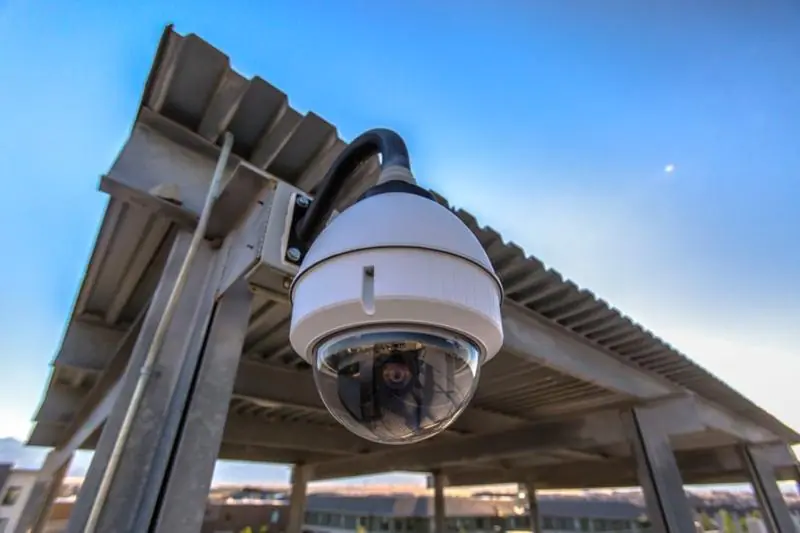
Component one involves cameras acting as system eyes capturing visual information. Cameras record video of areas requiring monitoring and protection. They convert scenes they “see” into digital video files systems. Different camera types serve different monitoring purposes and environments. Fixed cameras point one direction permanently monitoring specific areas. PTZ cameras pan left/right, tilt up/down, and zoom in/out under operator control. Indoor cameras lack weatherproofing for climate-controlled spaces. Outdoor cameras withstand rain, snow, heat, and cold through protective housings. Night vision enables viewing in darkness through infrared or starlight technology. Cameras function similarly to smartphone cameras but designed specifically for continuous security monitoring.
Component two includes recording equipment serving as system brain managing video. Recording devices receive video streams from all connected cameras simultaneously. They store video for later viewing during retention periods specified. Three main recording types serve different applications: DVR (Digital Video Recorder) for analog cameras, NVR (Network Video Recorder) for IP/network cameras, and cloud-based systems using internet servers. Recording equipment acts like a DVR for television shows but dedicated to security footage. Systems manage multiple cameras recording simultaneously without confusion. They control retention duration determining how long video remains accessible. Searching recorded footage becomes possible through timestamp and camera location organization.
Understanding how video surveillance systems work provides technical perspective on system integration, though beginners need practical understanding before technical details.
Component three encompasses storage representing system memory holding recorded video. Recorded video physically resides on hard drives inside recording equipment or cloud internet servers. Storage capacity determines how many days or weeks video remains available before automatic deletion. Larger storage capacity equals longer retention periods for investigations. When storage fills completely, oldest video deletes automatically making room for new recordings. Storage functions like smartphone storage but exclusively for security video files instead of photos and apps.
Component four includes viewing devices serving as windows into surveillance systems. Viewing devices enable actually seeing captured video through various methods. Computer monitors at business locations provide dedicated security viewing stations. Smartphones and tablets enable remote viewing from anywhere through mobile applications. Dedicated security monitors offer large-screen viewing for multiple camera feeds. Web browsers on any internet-connected device access cloud-based systems. Mobile apps provide on-the-go access for property owners and managers. Live viewing shows current camera feeds while playback reviews recorded historical footage.
Optional component five involves monitoring services adding human oversight beyond equipment. Professional operators actively watch camera feeds rather than passive recording. Human verification identifies genuine threats requiring response versus false alarms. Monitoring services aren’t included in basic equipment-only systems requiring separate contracts. Additional monthly costs ranging $200-800 typically apply for professional monitoring. Prevention occurs through immediate intervention versus merely recording incidents. Police coordination happens during active incidents rather than after crimes complete. Monitoring represents separate service distinct from equipment purchases.
How Cameras Capture and Transmit Video
Video journey begins when light from monitored scenes enters camera lenses. Camera lenses function identically to human eyes focusing incoming light. Light from environments enters cameras through glass lens elements focusing properly. Lenses focus light patterns onto internal image sensors for conversion. Wider lenses capture more area with less detail in distance. Zoom lenses provide closer views of distant subjects sacrificing coverage area. Quality lenses produce clearer sharper images than cheap alternatives. Simple physics governs lens operation without magical complicated processes.
Image sensors inside cameras convert light into digital signals systems process. Sensors work like smartphone camera sensors capturing light patterns electronically. Light patterns convert into digital data representing video files systems store. Continuous images create video through rapid sequential capture creating motion illusion. Resolution determines detail level sensors capture affecting identification capability. Sensor size influences low-light performance particularly for nighttime recording. Automatic invisible processes happen requiring no user intervention or technical understanding.
Comprehensive guides like CCTV guide to cameras and systems explain camera varieties and applications, helping buyers match camera types to specific monitoring needs.
Video travels from cameras to recording equipment through wired or wireless methods. Wired systems transmit video through physical cables connecting cameras to recorders. Analog cameras use coaxial cables similar to cable television connections. IP cameras utilize ethernet network cables carrying data and sometimes power simultaneously. Cables physically connect each camera to recording equipment ensuring reliable transmission. Wireless systems transmit video via WiFi networks or cellular connections eliminating cable requirements. Cameras connect to WiFi networks broadcasting video signals wirelessly to recorders or clouds. Installation proves easier without cable running through walls and ceilings. Wireless depends on strong signal strength for reliable video transmission. Power cables are still required even for “wireless” cameras in most cases.
Recording equipment receives video streams organizing them by camera location and timestamp. Cloud systems send video to internet servers managed by service providers. Video arrives ready for immediate viewing and permanent storage until deletion. Multiple cameras transmit simultaneously without overwhelming recording equipment capacity. Systems organize feeds preventing confusion about camera sources and timing. Continuous processes operate 24/7 automatically without manual intervention required. Real-time transmission enables live viewing matching actual events as they occur.
Understanding Recording and Storage Options
DVR systems record video from analog cameras using traditional technology still common. Video stores on internal hard drives within DVR units at property locations. Systems function like cable television DVRs but dedicated to security footage exclusively. Analog cameras connect directly to DVR boxes through coaxial cables. Physical equipment remains at monitored locations rather than remote servers. Fixed camera connection limits match DVR input ports available typically 4, 8, or 16. Typical retention spans 7-90 days depending on hard drive storage capacity installed.
NVR systems record video from IP network cameras using modern digital technology. Video stores on internal hard drives within NVR units similar to DVRs. Cameras connect via network ethernet cables or WiFi rather than coaxial. More flexibility exists compared to DVR systems in camera placement and expansion. Physical equipment stays at monitored properties requiring secure installation locations. Higher resolution video handling capability serves modern camera quality standards. Typical retention matches DVR systems at 7-90 days based on storage installed.
Cloud-based storage maintains video on internet servers rather than local equipment. No physical recorder equipment required at monitored property locations reducing hardware costs. Cameras upload video directly to cloud servers through internet connections. Access works from anywhere with internet connectivity through web browsers or apps. Monthly subscription costs typically apply for cloud storage services ongoing. Storage capacity management handled by providers rather than property owners. Retention periods vary by subscription tier selected when purchasing cloud services.
Exploring business security camera guides helps business owners understand commercial application requirements differing from residential needs in scale and complexity.
Storage capacity determines how much video fits before automatic deletion begins. Capacity measures in terabytes with 1TB storing roughly one week for four cameras. More cameras reduce retention duration for identical storage capacity installed. Recording modes affect storage consumption dramatically between continuous and motion-activated. Higher resolution video consumes more storage than lower quality alternatives. Compression technology reduces file sizes without eliminating video quality completely. Frame rates influence storage with higher rates creating smoother but larger files.
Retention represents duration video remains accessible before automatic deletion occurs. Seven days minimum serves most basic residential applications adequately. Thirty days standard for business applications provides reasonable investigation windows. Ninety days suits high-security applications requiring extended historical access. Oldest video deletes automatically when storage capacity fills completely. Factors affecting retention include camera quantity, resolution quality, recording modes selected, compression efficiency, and frame rates configured.
Different Types of Cameras and When to Use Them
Analog versus IP cameras represent fundamental technology distinction affecting system capabilities. Analog cameras use older technology still widely deployed across existing installations. They connect to DVRs via coaxial cables limiting resolution capabilities typically. Lower costs per camera make analog attractive for budget-conscious buyers. Simpler installation requires less networking knowledge from installers. Limited advanced features compared to modern IP alternatives available. IP cameras represent modern industry-standard technology for new installations. Network cables or WiFi connectivity enables flexible installation configurations. Higher resolution capability serves identification needs better than analog alternatives. More expensive per camera but feature advantages justify costs for many. Advanced capabilities include analytics, smart detection, and remote configuration options. Network knowledge requirements create learning curves for DIY installers.
Fixed cameras point one permanent direction monitoring specific areas constantly. Most common camera type deployed across residential and commercial applications. Simple reliable operation without moving parts reduces failure potential. Lower costs compared to PTZ alternatives make fixed cameras budget-friendly. Multiple fixed cameras cover large areas better than single PTZ often. PTZ cameras pan horizontally, tilt vertically, and zoom in/out under control. Operator-controlled movement covers large areas with a single camera reducing quantities needed. More expensive than fixed cameras due to mechanical complexity and motors. Can miss incidents while pointed elsewhere creating coverage gaps potentially. Active monitoring situations benefit from PTZ operator control capabilities significantly.
Understanding how security cameras work from established providers offers additional technical perspective, though practical application knowledge matters more for buyers than deep technical specifications.
Indoor cameras lack weatherproofing designed for climate-controlled interior environments exclusively. Smaller less obtrusive designs suit aesthetic concerns in visible areas. Adequate for temperature-stable spaces without moisture or extreme conditions. Lower costs reflect simpler construction without environmental protection requirements. Outdoor cameras feature weatherproof housings withstanding rain, snow, heat, and cold. Temperature ratings ensure operation in extreme weather conditions typical regionally. Vandal-resistant designs available for accessible mounting locations preventing tampering. Higher costs reflect protective housings and environmental durability engineering.
Dome cameras feature rounded housings making viewing direction less obvious to observers. Vandal-resistant when mounted high on ceilings in accessible public areas. Indoor or outdoor models available depending on weatherproofing requirements. Aesthetic appearance suits visible customer-facing areas better than industrial alternatives. Bullet cameras use cylindrical shapes creating obvious deterrent presence psychologically. Easy visual confirmation of monitoring direction for transparency and deterrence. Typically deployed outdoors where weather protection and visibility both matter. Long-range viewing capability common in bullet camera designs for distance monitoring.
Remote CCTV Surveillance and Mobile Access
Remote surveillance means viewing cameras from locations away from monitored properties. Accessing video via internet connections from any geographic location worldwide. Physical presence at camera locations unnecessary for viewing and management. Modern standard expectation for systems installed currently across the United States. Internet-connected systems required for remote viewing functionality enabling access. Mobile apps or web browsers provide viewing interfaces on various devices. Real-time live viewing and historical playback both accessible remotely from anywhere.
Learning everything to know about CCTV monitoring provides comprehensive understanding of monitoring versus recording distinctions affecting system value and protection levels.
Internet and network requirements enable remote access functionality critical for modern systems. Cameras or recording equipment must connect to the internet for remote viewing. Upload speed determines video quality and quantity viewable simultaneously remotely. Minimum 2-5 Mbps upload speed per camera recommended for adequate performance. WiFi connectivity serves wireless cameras requiring strong signal strength throughout coverage. Ethernet wired connections provide superior reliability compared to WiFi alternatives typically. Router capacity matters when multiple cameras stream video simultaneously through networks. Network security prevents unauthorized access through proper configuration and strong passwords.
Mobile apps and web access provide viewing interfaces across device types. Smartphone applications for iOS and Android enable viewing from anywhere with connectivity. Live feed viewing works anywhere with cellular data or WiFi internet access. Playback recorded video remotely without returning to monitored property locations physically. Motion alert notifications push to phones immediately when detection triggers occur. PTZ camera control remotely when cameras support pan/tilt/zoom functionality. Web browser access from computers provides larger screen viewing without app installations. Multiple authorized users access systems simultaneously from different locations and devices.
Recording Modes and Motion Detection
Continuous recording captures video 24/7 without gaps in coverage or monitoring. Cameras record constantly regardless of activity levels in monitored areas. No coverage gaps ensure nothing gets missed during recording periods. Maximum storage consumption limits retention periods significantly with continuous recording. Shorter retention periods result from storage filling faster with constant recording. Higher storage costs necessary for extended retention with continuous recording selected. Good for high-security applications where missing nothing justifies storage costs.
Motion-activated recording captures video only when movement is detected in camera views. Significant storage savings extends retention periods with identical storage capacity. Longer retention achievable with same hard drives through selective recording approach. Potential exists for missing very slow movements triggering detection thresholds. Common for residential and low-traffic commercial areas balancing coverage and efficiency. Reduces review time significantly since less total footage exists for examination. Balance between comprehensive coverage and storage efficiency suits many applications.
Understanding why CCTV monitoring costs vary helps buyers budget appropriately for systems matching security needs rather than overspending on unnecessary features or under-investing in critical protection.
Smart detection and filtering uses artificial intelligence distinguishing people from animals and vehicles. False alarm reduction eliminates nuisance alerts from irrelevant movements like swaying trees. Person detection specifically identifies humans rather than general motion triggering alerts. Vehicle detection serves parking lot applications differentiating cars from pedestrians. Facial recognition advanced systems identify specific individuals though privacy concerns exist. Package detection alerts to delivery arrivals useful for theft prevention monitoring. More sophisticated detection capabilities increase equipment costs significantly but reduce alert fatigue.
Live Remote CCTV Monitoring Services Explained
Recording versus monitoring represents critical distinction affecting protection levels significantly. Recording means cameras save video for later review when checking footage. Documentation occurs of incidents after completion without prevention capability. No real-time intervention happens during crimes in progress with recording alone. Equipment-only costs without ongoing monthly service fees beyond optional cloud storage. Monitoring involves professional operators actively watching cameras in real-time shifts. Trained personnel identify threats immediately requiring response versus false alarms. Immediate intervention through audio warnings and police coordination during active incidents. Monthly service fees ranging $200-800 typical beyond equipment costs for monitoring.
Monitoring services provide trained operators watching camera feeds from monitoring centers. Multiple properties watched simultaneously by experienced security professionals. Suspicious activity identification happens through pattern recognition and experience immediately. Real-time threat response includes audio warnings through two-way speakers deterring criminals. Police and emergency service coordination occurs during active incidents reducing response times. Incident documentation and reporting provides detailed records for investigations and insurance. Professional monitoring prevents crimes through intervention rather than merely documenting them after completion.
Reviewing 24-7 live CCTV monitoring services demonstrates continuous professional oversight value for properties requiring maximum protection levels beyond basic recording capabilities.
Monitoring proves worth additional cost for specific property types and risk levels. High-risk properties including jewelry stores and pharmacies justify monitoring investment easily. Remote unmanned locations lack on-site personnel benefiting from virtual security presence. After-hours business protection when buildings empty and vulnerable to break-ins overnight. Construction sites with expensive equipment face organized theft requiring immediate intervention. Properties with previous incident history demonstrate ongoing vulnerability requiring enhanced protection. Insurance requirements sometimes mandate professional monitoring for coverage approval or discounts. Prevention value outweighs documentation when potential losses exceed monitoring costs significantly.
Monitoring service costs add ongoing monthly expenses beyond equipment investments. Monthly fees range $200-800 typically depending on camera quantity and service levels. Per-camera pricing charges for each monitored camera while per-location pricing covers entire properties. Response time guarantees command premium pricing for fastest intervention commitments contractually. 24/7 coverage costs more than after-hours only monitoring during vulnerable overnight periods. Higher ongoing costs than equipment-only systems but ROI achieved through prevented losses. Single prevented theft often justifies years of monitoring expenses for valuable properties.
Moving Forward with CCTV Surveillance Knowledge
CCTV surveillance fundamentally captures video through cameras, transmits it to recording equipment via cables or wireless, stores video for specified retention periods, and displays footage on viewing devices either live or recorded. Four main components include cameras capturing visual information, recording equipment managing video streams, storage holding footage for retention periods, and viewing devices enabling access. Recording alone differs fundamentally from professional monitoring services providing active intervention. Remote access requires reliable internet connectivity enabling viewing from anywhere. Resolution quality, night vision capability, and strategic placement determine surveillance effectiveness practically.
Understanding enables informed purchasing decisions based on actual needs rather than vendor recommendations. Vendor proposals become comprehensible with fundamental technology knowledge established. Comparing systems objectively becomes possible when understanding component purposes and capabilities. Avoiding unnecessary features saves money while ensuring adequate protection for properties. Asking intelligent questions with confidence during vendor consultations improves outcomes. Recognizing quality equipment versus marketing hype prevents expensive mistakes. Planning realistic budgets including ongoing costs prevents financial surprises after installation. Choosing appropriate technology for specific applications optimizes security and value simultaneously.
Comparing top 10 surveillance providers helps narrow vendor selection after understanding system fundamentals, enabling meaningful comparison of offerings rather than confusing technical specifications.
Common beginner mistakes include buying excessive cameras without clear purpose wasting money, choosing inadequate storage capacity requiring premature upgrades, neglecting night vision requirements for overnight protection, assuming wireless means completely wire-free when power still required, underestimating internet bandwidth needs for remote viewing, confusing recording with monitoring services providing different protection levels, ignoring privacy laws and signage requirements risking legal problems, and failing to plan for ongoing costs beyond initial equipment purchases.
Start by identifying specific security needs and monitoring priorities for properties. Determine realistic budgets for equipment purchases and ongoing operational costs. Decide between recording-only or professional monitoring services based on risk assessment. Choose camera quantity and strategic placement locations covering vulnerable areas. Determine DIY capability versus professional installation requirements honestly assessing skills. Research specific brands and models after understanding fundamental technology requirements. Request vendor consultations asking informed questions demonstrating baseline knowledge. Test systems during trial periods verifying functionality before long-term commitments. Plan for ongoing maintenance requirements and periodic equipment replacement eventually. Contact security professionals for consultations applying foundational knowledge to specific property protection needs.
Understanding CCTV surveillance fundamentals empowers confident purchasing decisions rather than relying entirely on vendor recommendations potentially including unnecessary upselling or inadequate systems. Technology operates on simple principles: cameras capture video, systems transmit and store it, and authorized users view it when needed for security purposes. Whether protecting homes or businesses across the United States, this foundational knowledge enables selecting appropriate systems matching actual needs and budgets rather than buying expensive features rarely used or inadequate systems failing to provide genuine protection required.
FAQ’s
What is CCTV surveillance and how does it work in simple terms?
CCTV surveillance is a system of cameras that capture video, transmit it to recording equipment, store it for later viewing, and allow you to watch live or recorded footage. Cameras work like smartphone cameras, converting what they “see” into digital video
What are the main components I need for a basic CCTV surveillance system?
A basic CCTV surveillance system requires four main components: cameras to capture video (quantity depends on property size and coverage needs), recording equipment to receive and save video (DVR for analog cameras, NVR for IP cameras, or cloud-based service), storage to hold recorded video (hard drives in DVR/NVR or cloud subscription), and viewing devices to see the video (monitors, computers, smartphones via apps)
What’s the difference between recording and professional monitoring services?
Recording means cameras capture video and save it to storage for you to review later when checking—it documents what happened but doesn’t prevent crimes actively. You watch video on your schedule, seeing incidents after they occur. Recording involves equipment costs only with no ongoing service fees beyond optional cloud storage
Can I view my CCTV surveillance cameras remotely from my phone?
Yes, modern CCTV surveillance systems typically include remote viewing via smartphones, tablets, and computers from anywhere with internet access. Remote viewing requires your cameras or recording equipment connecting to the internet through your router
How much does CCTV surveillance cost including ongoing expenses?
CCTV surveillance costs vary significantly based on system type and services. Equipment costs for basic home systems start around $500-$1,500 (2-4 cameras, recording equipment, basic storage), while small business systems typically run $1,000-$5,000 (4-8 cameras, professional-grade equipment)
