




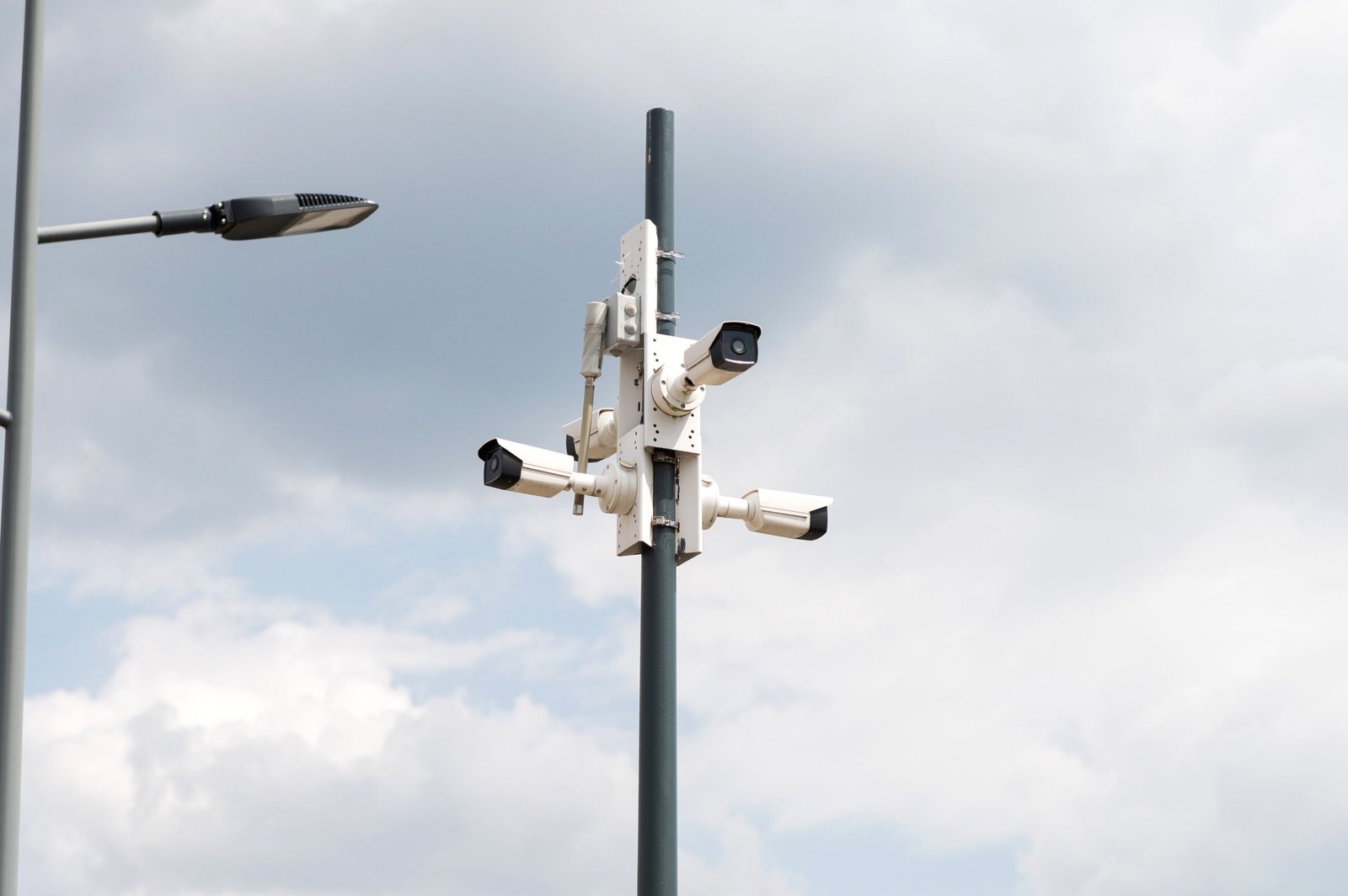
Remote CCTV for Beginners: What First-Time Buyers Need to Understand Before Purchasing Surveillance Systems
A new business owner spent $8,000 on a “professional CCTV system” after a persuasive sales presentation. Two weeks after installation, a break-in occurred. The system captured perfect footage of thieves loading merchandise—but no alerts triggered, no intervention occurred, and no prevention happened. The owner discovered cameras only recorded. No monitoring existed, no real-time response capability, no actual protection beyond documentation. The owner thought “remote CCTV” meant automatic protection. This represents the most common beginner mistake.
First-time buyers face overwhelming surveillance terminology without baseline knowledge for evaluating vendor claims. Confusion between cameras and monitoring services creates expensive misunderstandings. Technical jargon produces decision paralysis. Contradictory information from different vendors leaves beginners uncertain which advice to trust. This guide provides plain English explanations of remote CCTV basics, critical distinctions beginners must understand, realistic cost expectations, and common mistakes to avoid.
Understanding remote CCTV requires starting with fundamental concepts before exploring specific products. The common mistake involves researching cameras before understanding what surveillance actually accomplishes and whether simple recording or active monitoring matches your needs. Following a comprehensive beginner’s guide to CCTV monitoring helps first-time buyers navigate complex decisions systematically.
Understanding Remote CCTV Services and Basic Terminology
The term “remote” in remote CCTV means accessible from anywhere via internet connection. You can view cameras from smartphones, tablets, or computers without physical presence at the property. Access footage and live feeds remotely from any location. This distinguishes modern systems from older closed-circuit systems requiring on-site viewing. Remote access represents a modern expectation but doesn’t come automatically with all cameras—verify this capability explicitly when purchasing.
CCTV (Closed-Circuit Television) refers to traditional camera systems. Remote CCTV describes internet-connected accessible systems. IP cameras (Internet Protocol cameras) enable remote access through network connectivity. Analog versus digital camera distinctions affect image quality and features. Wired versus wireless connectivity differences impact installation complexity and reliability. Terminology overlap creates beginner confusion, requiring careful clarification during vendor discussions.
Resources like the beginner’s guide to CCTV systems explain foundational concepts helping first-time buyers understand surveillance technology basics before making purchasing decisions.
Remote access typically includes live video viewing from anywhere, recorded footage playback remotely, mobile app notifications and alerts, multi-location access for multiple properties, user permission management, and system settings configuration via remote control. Understanding these capabilities helps beginners evaluate whether specific systems meet their actual needs versus vendor marketing promises.
Common terms beginners encounter include DVR (Digital Video Recorder) recording analog cameras, NVR (Network Video Recorder) recording IP cameras, cloud storage storing footage on internet servers, local storage keeping footage on-site, resolution measuring image quality (720p, 1080p, 4K), FPS (frames per second) determining video smoothness, and POE (Power over Ethernet) providing power and data through single cables. Familiarizing yourself with 10 CCTV monitoring terms you need to know prevents confusion during vendor consultations.
Understanding CCTV Monitoring Services vs. Cameras-Only Systems
The critical distinction determining surveillance effectiveness separates cameras-only systems from monitored surveillance. Cameras-only systems provide video recording of property and activities, evidence after incidents occur, remote viewing when you choose to look, motion-triggered recordings, storage of footage for review, and documentation but no active intervention. These systems document crimes after occurrence without preventing them.
CCTV monitoring services add human operators actively watching cameras, real-time threat identification, immediate response to suspicious activity, two-way audio intervention capabilities, police coordination during incidents, and prevention through active intervention. Understanding the process of CCTV monitoring reveals how professional operators provide security beyond simple recording.
Recording documents crimes after occurrence. Monitoring prevents crimes through intervention. Cost differences reflect this fundamental distinction—recording costs $50-150 monthly, while monitoring ranges $300-800 monthly. Value differences prove substantial: documentation versus prevention. Beginner assumption suggests cameras alone deter crime, partially true for opportunistic criminals. Reality demonstrates sophisticated criminals recognize unmanned cameras, proceeding when confident no human monitoring exists.
Cameras prove sufficient for low-risk properties, limited budgets, and evidence needs. Monitoring becomes necessary for high-risk locations, valuable inventory, and employee safety concerns. Consider monitoring when previous incidents occurred, insurance requires it, or liability concerns justify investment. Starting with cameras and upgrading to monitoring later represents a common approach for budget-conscious beginners.
Self-monitoring means you watch cameras via apps during available time. Professional monitoring employs trained operators watching continuously. Self-monitoring faces limitations during busy operational periods when attention focuses elsewhere. Alert fatigue from excessive motion notifications reduces effectiveness. Professional monitoring advantages include dedicated attention ensuring threats receive immediate response.
Components of Remote CCTV Systems
Cameras represent the most visible component. Fixed cameras cover specific areas continuously with consistent angles. PTZ cameras pan, tilt, and zoom under operator control for large area coverage. Dome cameras provide vandal-resistant protection for indoor and outdoor use. Bullet cameras offer weather-resistant housings for outdoor mounting. Night vision uses infrared or starlight technology for darkness. Resolution importance cannot be overstated—1080p minimum recommended for adequate facial recognition and detail.
Understanding different types of CCTV cameras and systems helps beginners select appropriate equipment matching their specific property requirements and security goals.
Recording equipment includes DVR for analog cameras and NVR for IP cameras. Storage capacity determines retention periods ranging from days to weeks. Local storage uses hard drives in DVR/NVR units on-site. Cloud storage maintains footage on internet servers. Hybrid approaches combine local and cloud storage. Cost comparison reveals local storage requires one-time investment, while cloud storage demands monthly subscriptions. Reliability differences matter—local storage functions without internet but risks physical damage or theft, while cloud storage requires internet but protects against on-site equipment destruction.
Internet and network requirements prove critical for remote CCTV functionality. Upload speed requirements typically demand 1-2 Mbps per camera minimum. Wired ethernet connections provide superior reliability compared to WiFi. Router capacity limits simultaneous camera connections. Bandwidth consumption affects ISP data caps. Network security requires camera isolation from other devices. Backup internet connections ensure critical monitoring continuity during primary connection failures.
Power supplies and infrastructure affect installation complexity. Traditional power outlets serve each camera location. POE (Power over Ethernet) simplifies installation by delivering power and data through single cables. Wireless cameras require battery or solar power. Electrical infrastructure requirements may necessitate professional electrician involvement. Backup power for recording equipment prevents footage loss during power outages. Installation complexity and costs increase with power infrastructure challenges.
Realistic Costs for Remote CCTV Beginners
Equipment costs vary significantly based on system sophistication and coverage. Basic starter systems cost $1,000-2,500 for 2-4 cameras with basic recording suitable for small residential or low-risk commercial properties. Standard small business systems range $2,500-5,000 for 4-8 cameras with quality equipment. Comprehensive coverage systems cost $5,000-10,000 for 8-16 cameras with professional-grade equipment. Per-camera costs range $100-400 depending on features and quality. Recording equipment costs $200-1,000 depending on storage capacity and capabilities. Installation labor adds $500-2,000 depending on complexity, camera quantity, and infrastructure requirements.
Learning about CCTV monitoring costs and savings helps beginners budget appropriately for both initial investment and ongoing operational expenses.

Ongoing costs beginners often overlook include cloud storage subscriptions at $10-50 per camera monthly, monitoring services at $200-800 monthly if desired, internet connectivity increases supporting video streaming, maintenance and repairs averaging $100-300 annually, software updates and licensing fees, and system expansion and upgrade costs over time.
Hidden costs and unexpected expenses catch beginners unprepared. Network infrastructure upgrades may be necessary for adequate bandwidth. Electrical work for power and cabling adds expense. Outdoor camera mounting hardware and installation complexity increase costs. Weatherproofing and cable protection prevent equipment damage. Professional configuration and setup ensure optimal performance. Training for staff or family members maximizes system value.
Budget-conscious beginner options include starting with 2-4 cameras in critical areas like entries and high-value zones, expanding coverage gradually over time as budget permits, DIY installation versus professional installation tradeoffs, used or refurbished equipment considerations with appropriate caution, consumer-grade versus professional equipment value analysis, and leasing or financing options spreading costs over time.
ROI and cost justification help rationalize investment. Insurance premium reductions average 5-20% with documented surveillance. Single theft prevention often justifies entire investment. Liability protection value proves difficult to quantify but extremely valuable. Employee productivity monitoring benefits improve operations. Peace of mind and confidence value affect quality of life. Property value enhancement occurs with documented security systems.
Mistakes First-Time Remote CCTV Buyers Make
Buying cameras without understanding storage represents a common beginner mistake. Assumptions that cameras include automatic storage prove false. Underestimating storage needs for adequate retention creates problems. Ignoring ongoing cloud storage costs affects budgets. Not planning for footage access needs limits investigation capability. Choosing inadequate storage capacity requires expensive upgrades. Discovering limitations after installation proves frustrating and costly.
Assuming all “remote” systems work equally creates disappointment. Quality differences between cheap and professional cameras dramatically affect performance. App quality and reliability variations impact user experience. Remote access speed and performance differences affect usability. Vendor support and longevity concerns matter for long-term satisfaction. Feature limitations in budget systems become apparent only after purchase. “You get what you pay for” reality proves consistently accurate.
Not considering internet requirements causes functionality problems. Insufficient upload bandwidth for camera quantity prevents proper operation. WiFi reliability issues for video streaming create gaps. Data cap limitations from ISP generate unexpected charges. Network security vulnerabilities expose systems to hacking. Router capacity exceeded by cameras causes system instability. Discovering problems after installation requires expensive remediation.
Guidance on choosing the right CCTV camera helps beginners avoid selecting inappropriate equipment for their specific environmental conditions and coverage needs.
Falling for sales tactics and overselling wastes money. Unnecessary camera quantities exceed actual needs. Expensive features rarely used don’t justify costs. Extended warranties with high costs provide minimal value. Proprietary systems lock customers into specific vendors. Overpriced monitoring services exceed market rates. “Package deals” appear attractive but don’t actually provide better value than component purchases.
Questions Beginners Should Ask Vendors
Equipment and system questions establish vendor knowledge and system appropriateness. “What cameras do you recommend and why?” reveals vendor reasoning. “What resolution and night vision do they provide?” verifies adequate specifications. “What recording equipment and storage capacity?” confirms retention capabilities. “Can I add cameras later easily and affordably?” ensures scalability. “What warranty covers equipment and how long?” protects investment. “What happens if equipment fails—replacement process?” clarifies support procedures.
Cost and pricing questions prevent surprises. “What’s the total cost including installation?” reveals complete investment. “What ongoing monthly costs exist?” identifies operational expenses. “What hidden fees or additional charges might arise?” uncovers common oversights. “What payment options and financing are available?” enables budget management. “What price increases might occur over time?” protects against unexpected escalation. “What happens at end of contract—equipment ownership?” clarifies long-term implications.
Comparing top 10 surveillance providers helps beginners understand industry standards and identify vendors offering competitive pricing and quality equipment.
Installation and setup questions clarify implementation. “Who performs installation—employees or contractors?” affects quality and accountability. “What’s a typical installation timeline?” enables planning. “What preparation do I need before installation?” prevents delays. “What training do you provide for system use?” ensures effective operation. “What if I’m not satisfied after installation?” protects against poor results. “What modifications can be made after install?” allows adjustments.
Ongoing support and service questions establish long-term relationships. “What technical support do you provide?” ensures assistance availability. “What are support hours and response times?” sets expectations. “What ongoing maintenance is included versus additional?” clarifies costs. “What happens if the internet goes down?” addresses common concerns. “What system upgrades occur and at what cost?” prevents surprise expenses. “What happens if a company goes out of business?” protects long-term investment.
Red flags indicating untrustworthy vendors include pressure tactics and “today only” deals, refusing to provide written estimates, vague answers to specific questions, no physical address or local presence, no client references or portfolio, requiring full payment before work begins, and complex contracts with unclear terms. Avoiding these vendors prevents expensive problems.
Step-by-Step Decision Process for Beginners
Step 1 involves identifying your primary goal. Theft and break-in prevention with evidence documentation, employee or customer safety monitoring, operational oversight and management, liability protection and documentation, property protection when absent, or specific incident response needs determine system requirements fundamentally.
Step 2 requires determining critical coverage areas. Entry and exit points including doors and gates, high-value inventory or equipment locations, cash handling and POS areas, vulnerable or isolated property sections, public versus private area distinctions, and starting with 2-4 most critical zones prevents overwhelming initial investment while providing meaningful protection.
Step 3 establishes a realistic budget. Total available investment covering equipment and installation, monthly budget for ongoing costs, timeline for ROI expectations, phased implementation possibilities, financing or leasing considerations, and emergency or contingency fund allocation create a financial framework for decisions.
Step 4 decides between recording versus monitoring. Risk assessment for property and operations, budget availability for monitoring services, staff availability for self-monitoring, insurance or compliance requirements, starting with recording and adding monitoring later, and trial monitoring periods before commitment help determine appropriate service level.
Understanding GCCTVMS services demonstrates how professional providers structure offerings for different customer needs and budgets, from basic recording to comprehensive monitoring solutions.
Step 5 involves researching and comparing 3-5 vendors. Local versus national provider options, checking reviews and Better Business Bureau ratings, requesting detailed written proposals, comparing equipment specifications objectively, evaluating contract terms and flexibility, and checking licenses and insurance protects against poor vendor selection.
Step 6 requires asking questions and verifying claims using question lists, requesting client references and contacting them, visiting example installations when possible, verifying licenses and certifications, researching vendor financial stability, and testing demo systems when available builds confidence in vendor selection.
Step 7 emphasizes starting small and learning. Beginning with basic system covering priorities, operating system 3-6 months before expansion, learning what works and what doesn’t through experience, adjusting based on actual usage, expanding coverage strategically as needs clarify, and avoiding “analysis paralysis” preventing action creates a practical implementation path.
Getting Started: Action Plan for Beginners
Remote CCTV technology proves more accessible and affordable than ever for beginners. Adequate research and asking right questions prevents expensive mistakes. Thousands of first-time buyers successfully implement effective surveillance annually. Your business or home deserves protection—starting the journey with education positions you for success.
Understanding fundamentals—cameras versus monitoring distinction, realistic costs, common mistakes—puts first-time buyers ahead of most. No perfect system exists; adequate systems properly implemented protect effectively. Starting small, learning from experience, and expanding strategically works better than attempting comprehensive systems immediately.
Complete property assessment identifying critical coverage areas. Establish a realistic budget covering equipment, installation, and ongoing costs. Research 3-5 local vendors with good reviews. Request consultations and detailed written proposals. Ask questions verifying vendor credibility and system appropriateness. Start with quality equipment covering priorities. Learn from the initial system before expanding coverage.
Stop delaying security implementation due to information overwhelm. Use this guide’s decision framework for systematic vendor evaluation. Contact qualified providers requesting consultations. Ask specific questions before committing. Start with a basic system covering priorities. Expand strategically as budget and experience grow. Your property’s protection begins with an informed first step.
FAQ’s
What is remote CCTV and do I need it?
Remote CCTV refers to surveillance camera systems accessible via internet from smartphones, tablets, or computers from anywhere. “Remote” means you can view live feeds, review recorded footage, and receive alerts without being physically present at the property
What’s the difference between cameras and CCTV monitoring services?
Cameras-only systems record video footage for later review but provide no active intervention—they document incidents after occurrence. CCTV monitoring services employ human operators who actively watch cameras in real-time, identify threats immediately, intervene through two-way audio, and coordinate police response during incidents
What should a beginner budget for first remote CCTV system?
First-time buyers should budget $1,500-5,000 for basic remote CCTV systems covering critical areas. This includes equipment costs ($1,000-3,500 for 2-8 cameras, recording equipment, basic storage), professional installation ($500-2,000 unless DIY), and ongoing costs ($0-150/month for cloud storage, or $300-800/month if adding monitoring services)
What mistakes do remote CCTV beginners make most often?
Common beginner mistakes include buying cameras without understanding storage requirements and ongoing cloud costs, assuming all “remote” systems work equally when quality varies dramatically, insufficient internet bandwidth for camera quantity, wrong camera types for conditions like using indoor cameras outdoors or inadequate night vision, poor camera placement missing critical angles or creating blind spots, falling for vendor overselling of unnecessary features, not planning for scalability and future expansion, and DIY installation without proper planning causing coverage gaps or equipment failure
Should beginners choose DIY or professional installation?
Beginners should choose professional installation for business applications, complex layouts like multi-story or large properties, outdoor cameras requiring proper weatherproofing, systems with 6+ cameras, properties lacking technical expertise, or situations where mistakes create liability or lost investment
