




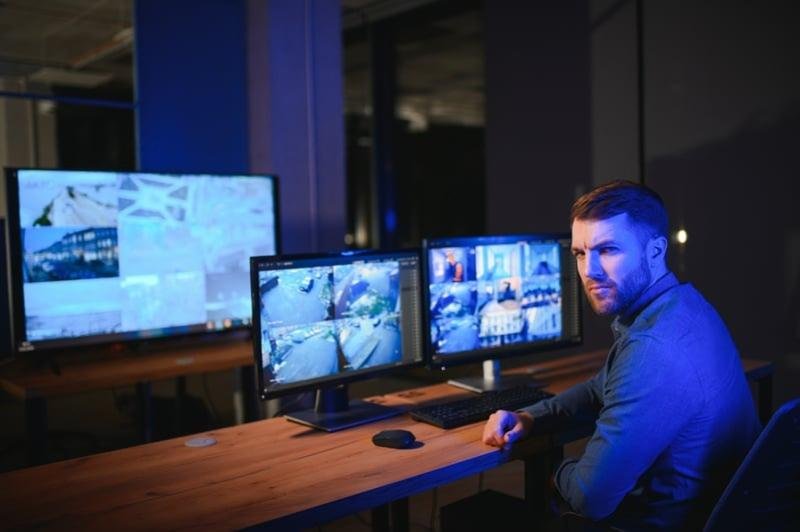
Your CCTV System Works—But Doesn’t Actually Protect You
You have 20 cameras covering your facility. Recording runs continuously. Footage gets stored for 30 days. The system technically functions perfectly.
Yet last month, someone walked out with $12,000 in merchandise. Your cameras recorded everything. Nobody was watching. The footage revealed the theft 18 hours later when inventory counts came up short. Police identified the suspect from clear footage—but recovery is unlikely.
Your CCTV monitoring works as designed. But “working” isn’t the same as “effective.” Effective systems prevent incidents, not just document them. They identify threats in real-time, trigger appropriate responses, and stop crimes before completion.
Most businesses with underperforming security don’t need expensive system replacements. They need optimization—strategic adjustments that transform passive recording into active protection. These seven tips deliver immediate effectiveness improvements, most requiring zero additional investment beyond configuration changes and better practices.
Tip #1: Reposition Cameras for Maximum Coverage
Why Current Positioning Fails
Most cameras get installed in convenient locations—not optimal security positions. Installers mount cameras where power and network connections exist, where installation is easy, or where cameras “look good” rather than where they actually prevent crime.
Common positioning mistakes:
- Cameras too high to identify faces clearly (mounted at 15+ feet for aesthetic reasons)
- Wrong angles showing tops of heads instead of faces
- Blind spots at entry/exit points allowing unmonitored access
- Cameras pointing at walls or parking lots instead of approach paths
- No overlapping coverage allowing criminals to move between camera views untracked
A retail store had 12 cameras perfectly covering sales floors—but none monitoring the loading dock where 78% of theft occurred. Repositioning just three cameras to cover the dock reduced theft by $23,000 annually. Zero new equipment required.
The Optimization Action
Conduct a coverage audit: Walk your property identifying every access point, high-value area, and approach path. Map which cameras currently cover each zone. Identify blind spots where movement occurs without camera coverage.
Optimal positioning guidelines:
- Mount cameras 8-10 feet high for facial identification (not 15-20 feet for “better overview”)
- Angle cameras 15-20 degrees downward capturing faces, not heads
- Position cameras viewing subjects’ approach paths, not just destinations
- Create overlapping coverage eliminating gaps between camera views
- Cover entrances from both inside and outside perspectives
Quick wins: Adjusting just 3-4 camera angles eliminates 60-80% of blind spots without adding cameras. Repositioning costs $200-400 in labor vs. $3,000-8,000 adding new cameras for equivalent coverage improvement. Following video surveillance best practices ensures positioning maximizes effectiveness for threat detection and evidence collection.
Tip #2: Optimize Resolution and Compression Settings
The Quality vs. Storage Dilemma
Many systems run cameras at lower resolution or higher compression to save storage space. This trades image quality for hard drive capacity—exactly backward from what effective security requires.
Grainy footage that can’t identify suspects is worthless regardless of how much storage it saves. Understanding why CCTV quality is often so poor helps explain configuration mistakes that compromise effectiveness.
Resolution mistakes causing identification failures:
- Running 4K cameras at 720p to save storage (wasting camera capabilities)
- Using maximum compression destroying facial detail
- Mixing different resolutions creating inconsistent coverage
- Frame rate too low (5-10 fps) missing critical moments
A warehouse ran all cameras at 1MP to maximize storage capacity. After a $67,000 equipment theft, police couldn’t identify suspects from pixelated footage despite criminals being clearly visible. Upgrading resolution to 1080p cost zero—cameras supported it already. They just needed proper configuration.
The Optimization Action
Resolution configuration:
- Critical areas (entrances, registers, high-value storage): 4K (8MP) minimum
- General coverage areas: 1080p (2MP) minimum
- Avoid anything below 1080p—storage is cheap, theft is expensive
Compression optimization:
- Use H.265 compression providing 40-50% storage savings vs. H.264 without quality loss
- Set bitrate to “high quality” or specific values (6-8 Mbps for 1080p, 12-16 Mbps for 4K)
- Configure variable bitrate (VBR) optimizing quality during activity, saving storage during static periods
Frame rate settings:
- Critical areas: 20-30 fps capturing smooth motion
- General areas: 15-20 fps adequate for most applications
- Never below 12 fps—you’ll miss critical action frames
Storage trade-off: 1080p at high quality uses 3-4× storage vs. 720p at high compression. But storage costs $50-100 per TB while one prevented theft saves thousands. Prioritize image quality over storage capacity every time. For comprehensive guidance, review what makes effective CCTV monitoring in this complete beginner’s guide to understand configuration fundamentals.
Tip #3: Fine-Tune Motion Detection to Reduce False Alarms
The False Alarm Problem
Systems generating 50-100 daily false alarms train you to ignore alerts entirely. When real incidents trigger alerts, they get lost in notification floods nobody checks anymore.
False alarm causes:
- Motion sensitivity too high (alerts on bugs, shadows, light changes)
- No activity zones excluding areas with constant movement (trees, traffic)
- Weather triggers (rain, snow, wind-blown debris)
- Inadequate filtering for animals, headlights, or reflections
A business receiving 180 motion alerts daily stopped checking them entirely. They missed 3 genuine break-in attempts because alerts got ignored among hundreds of false triggers from tree movement, car headlights, and passing pedestrians.
The Optimization Action
Sensitivity calibration:
- Start at 70-80% sensitivity, adjust downward until false triggers stop
- Test during different times (daytime, night, weather conditions)
- Create separate sensitivity settings for day vs. night if system supports it
Activity zone configuration:
- Exclude areas with constant motion (public sidewalks, parking lot edges, trees)
- Focus detection on critical areas (doors, walkways, entry points)
- Create multiple small zones rather than one large detection area for precise triggering
Advanced filtering:
- Enable animal detection filtering if available (ignores cats, dogs, raccoons)
- Configure size filters ignoring objects smaller than humans
- Use line-crossing detection instead of general motion for specific applications
- Schedule detection—disable alerts during business hours if monitoring only after-hours threats
Results: Proper motion detection tuning reduces false alarms by 85-95% while maintaining or improving genuine threat detection. You’ll actually check alerts because they’re meaningful, not noise. Effective configuration requires understanding 24/7 CCTV monitoring for business security to optimize detection for continuous protection.
Tip #4: Upgrade from Self-Monitoring to Professional Services
The Self-Monitoring Limitation
The biggest effectiveness gap isn’t equipment—it’s monitoring. Cameras recording footage nobody watches until after incidents occur provide minimal protection. Self-monitoring through phone apps sounds cost-effective until you calculate what it actually prevents.
Self-monitoring failures:
- You can’t watch cameras 24/7 while running a business
- Alert fatigue causes you to ignore notifications after 2-3 weeks
- No intervention capability when you spot threats remotely
- Delayed police response when you call vs. verified security alerts
- Incidents occurring during the 99% of time you’re not watching
Effectiveness comparison:
- Self-monitoring prevents 12-18% of theft attempts
- Professional live CCTV monitoring prevents 60-78% of theft attempts
- The difference: real-time human verification and immediate intervention
The Optimization Action
Professional monitoring delivers:
- Trained operators watching cameras continuously
- Immediate threat verification through multiple camera angles
- Two-way audio intervention warning intruders they’re being monitored
- Verified police dispatch with precise threat information
- Response time: 45-90 seconds vs. hours with self-monitoring
Cost vs. value analysis:
- Professional remote CCTV monitoring costs $200-500 monthly
- Preventing one $15,000 theft annually pays for monitoring 30-75 months
- Most businesses experience prevented incidents quarterly or more frequently
Implementation: Don’t replace existing cameras—add professional monitoring to equipment you already own. Most CCTV monitoring services work with existing systems, activating effectiveness without equipment replacement. Explore how remote CCTV monitoring improves business security to understand professional monitoring advantages over self-monitoring approaches.
Tip #5: Implement Regular System Maintenance
The Degradation Nobody Notices
CCTV monitoring effectiveness degrades slowly. Lenses accumulate dirt. Cameras shift position from wind and vibration. Hard drives develop errors. Firmware bugs cause instability. Each issue individually seems minor—but combined, they transform effective systems into worthless ones.
Neglected maintenance consequences:
- Dirty lenses reducing clarity by 40-60% over 6-12 months
- Misaligned cameras pointing wrong directions after weather events
- Hard drives failing without warning, losing all recordings
- Outdated firmware causing crashes and connectivity problems
- Vegetation growth blocking views that were clear last year
A system providing excellent security for two years suddenly became ineffective. Investigation revealed: 11 cameras had dirty lenses, 4 were misaligned from storms, the hard drive had undetected errors, and firmware was 18 months outdated. 30 minutes of maintenance per camera restored full effectiveness.
The Optimization Action
Monthly maintenance (15-30 minutes):
- Check all cameras showing live feeds properly
- Verify recording is actually saving footage
- Review storage capacity ensuring adequate space remains
- Check system health indicators and error logs
Quarterly maintenance (2-4 hours):
- Clean all camera lenses with proper lens cleaning solution
- Verify camera positioning hasn’t shifted
- Check physical camera condition (cracks, moisture, mounting stability)
- Test motion detection and alert functionality
- Update firmware on cameras and recording systems
- Trim vegetation blocking or approaching camera views
Annual maintenance (4-6 hours or professional service):
- Complete system audit of all components
- Hard drive health check and replacement if showing any warnings
- Cable inspection for damage or degradation
- Network performance testing
- Review and optimize all settings based on one year’s operational experience
Cost vs. benefit: DIY maintenance costs only time. Professional maintenance runs $500-1,500 annually but includes expertise identifying problems you’d miss. Compare this against typical $25,000-75,000 costs when systems fail during incidents. Following comprehensive ways to optimize your CCTV’s value ensures maintenance delivers maximum effectiveness improvements.
Tip #6: Integrate CCTV with Other Security Systems
The Isolated System Problem
CCTV monitoring operating independently from alarms, access control, and building management misses opportunities for multiplied effectiveness through integration.
Integration effectiveness gains:
- Alarm triggers automatically display relevant cameras to operators (vs. manually searching)
- Access control violations trigger camera recording and alerts
- Video verifies alarm authenticity before police dispatch (reducing false alarm fines 90%)
- Unified systems provide complete incident pictures combining multiple data sources
Non-integrated system scenario: Alarm triggers at 2 AM. Monitoring center calls police. Officers arrive finding no visible damage. False alarm fine: $150. This happens 8 times monthly: $1,200 in fines.
Integrated system scenario: Alarm triggers at 2 AM. Cameras automatically display the triggered zone. Operators verify no actual threat—just faulty sensor. Police not dispatched. False alarm cost: $0.
The Optimization Action
Access control integration:
- Link badge readers to cameras recording everyone entering/exiting
- Create alerts when unauthorized individuals use credentials
- Generate automatic reports of who accessed what areas when
- Verify tailgating (unauthorized people following authorized badge holders)
Alarm system integration:
- Alarm triggers automatically bring up zone cameras
- Video verification confirms genuine threats before police dispatch
- Motion detection arms/disarms with alarm system automatically
- Recorded footage syncs to alarm event logs
Building management integration:
- Lights activate automatically when cameras detect motion in secure areas
- HVAC adjustments based on occupancy detected by cameras
- Automatic door locks when cameras detect threats
- Emergency lockdown coordination during incidents
Implementation: Most modern systems support integration through APIs or standardized protocols (ONVIF). Professional installers configure integration in 4-8 hours typically. Cost: $1,000-3,000 depending on complexity. Savings: $5,000-15,000 annually from reduced false alarms and improved incident response.
Tip #7: Review and Analyze Footage Proactively
The Reactive Review Problem
Most businesses only review footage after discovering incidents—when it’s too late to prevent them. Proactive footage review identifies patterns, threats, and vulnerabilities before they cause losses.
Reactive approach: Notice $8,000 in merchandise missing during inventory count. Review footage to identify theft. Footage shows theft occurred 3 weeks ago—suspect untraceable now, recovery impossible.
Proactive approach: Weekly footage review notices suspicious individual casing property multiple times. Alerts staff to watch for this person. Next visit, staff confirms suspicious behavior and prevents theft attempts.
The Optimization Action
Weekly spot checks (30-60 minutes):
- Review random footage samples from each camera
- Verify image quality remains adequate
- Check for unusual activity patterns
- Identify operational inefficiencies (bottlenecks, safety issues)
Monthly pattern analysis (2-3 hours):
- Review all flagged motion detection events
- Identify recurring suspicious behaviors
- Analyze incident timing patterns
- Assess coverage gaps revealed by activity
Incident analysis (after any event):
- Review complete incident footage from multiple angles
- Identify what allowed incident to occur
- Determine system improvements preventing recurrence
- Document findings for insurance, legal, or operational purposes
Advanced analytics (if available):
- People counting reveals traffic patterns optimizing operations
- Dwell time analysis identifies customer behavior
- Queue management improves customer service
- Safety compliance monitoring reduces accidents
Time investment vs. value: 2-4 hours monthly reviewing footage costs $50-150 in staff time. Benefits: prevented incidents ($5,000-50,000 each), operational insights ($2,000-10,000 annually), liability protection (one prevented lawsuit pays for years of review time). Academic research on CCTV surveillance effectiveness shows proactive monitoring and analysis significantly improves security outcomes compared to reactive review approaches.
Measuring Your Effectiveness Improvements
Before and After Metrics
Track these metrics before implementing changes and 90 days after:
Security metrics:
- Incident count (theft, vandalism, trespassing)
- Incident value (total losses from security events)
- False alarm rate (alerts per day)
- Response time (alert to action)
- Prevention rate (stopped vs. completed incidents)
Operational metrics:
- Footage usability (% of incidents with identifying footage)
- System uptime (% of time cameras function properly)
- Storage utilization (days of retention achieved)
- Alert response rate (% of alerts checked within 5 minutes)
Financial metrics:
- Security losses (theft, damage, liability)
- False alarm fines
- Insurance premiums
- Operational efficiency improvements
- Total security cost of ownership
Typical improvement results:
- Incident prevention: +45-70%
- False alarms: -80-95%
- Footage usability: +60-80%
- Response time: -75-85%
- Annual losses: -50-75%
- ROI timeline: 6-14 months
When DIY Optimization Isn’t Enough
Signs You Need Professional Services
These seven tips boost effectiveness substantially. But some situations require professional 24/7 live CCTV monitoring services beyond DIY optimization:
Indicators professional services are necessary:
- Incidents continue despite optimization efforts
- Property faces high-crime environment requiring constant vigilance
- High-value assets justify professional monitoring investment
- No staff capacity for regular maintenance and review
- Need guaranteed response times and service levels
- Require integration with professional monitoring centers
For businesses across various sectors, from standard commercial properties to specialized environments, effective monitoring solutions exist. Explore industries served by professional CCTV monitoring to understand sector-specific effectiveness strategies.
Professional service advantages:
- Continuous monitoring without staff burden
- Immediate threat intervention through two-way audio
- Verified police dispatch improving response priority
- Regular maintenance included in service
- Guaranteed effectiveness metrics in contracts
- Expertise optimizing systems for maximum performance
Compare top surveillance providers to understand service differences and quality indicators when selecting professional monitoring partners. For specialized residential applications, review best monitoring providers for home security to see how professional services enhance effectiveness.
Stop Recording—Start Protecting
Your CCTV monitoring system cost thousands to install. It operates every day. But “operating” isn’t the same as “protecting.” These seven optimization tips transform passive recording into active security preventing incidents instead of just documenting them.
Most improvements require zero additional equipment investment—just better configuration, consistent maintenance, and proactive practices. The biggest effectiveness gain—upgrading to professional monitoring—costs $200-500 monthly while preventing thousands to tens of thousands in losses.
Get Maximum Effectiveness from Your Investment:
GCCTVMS provides professional remote CCTV monitoring services working with existing systems, plus expertise optimizing configurations for maximum effectiveness. Learn about professional security monitoring companies that deliver measurable protection improvements.
Contact GCCTVMS for effectiveness assessment:
📞 Call: +1 501 621 0002
📧 Email: info@gcctvms.com
Your system already exists. Make it actually protect you.
FAQ’s
Can I boost CCTV monitoring effectiveness without buying new equipment?
Yes. Camera repositioning, resolution optimization, motion detection tuning, regular maintenance, system integration, and proactive footage review deliver 50-75% effectiveness improvements without equipment purchases. Most systems already have capabilities owners don’t use—optimization activates existing features.
What single change improves effectiveness most?
Upgrading from self-monitoring to professional live CCTV monitoring services provides the largest effectiveness gain—preventing 60-78% of theft attempts vs. 12-18% with self-monitoring. This single change prevents more incidents than all equipment upgrades combined.
What reduces false alarms without missing real threats?
Fine-tune motion detection sensitivity (start 70-80%, adjust lower), configure activity zones excluding areas with constant movement, enable size and animal filtering, and schedule detection for relevant times only. Proper configuration reduces false alarms 85-95% while maintaining or improving genuine threat detection.
What maintenance actually improves effectiveness?
Monthly: verify recording and check storage. Quarterly: clean lenses, verify positioning, update firmware, test motion detection. Annually: hard drive health check, cable inspection, complete system audit. This schedule prevents 80% of degradation-related effectiveness losses.
When should I upgrade to professional monitoring services?
Upgrade when self-monitoring prevents fewer than 3 incidents annually, when property faces high-crime environments, when high-value assets justify professional protection, when no staff capacity exists for regular review, or when guaranteed response times and service levels are required.
