


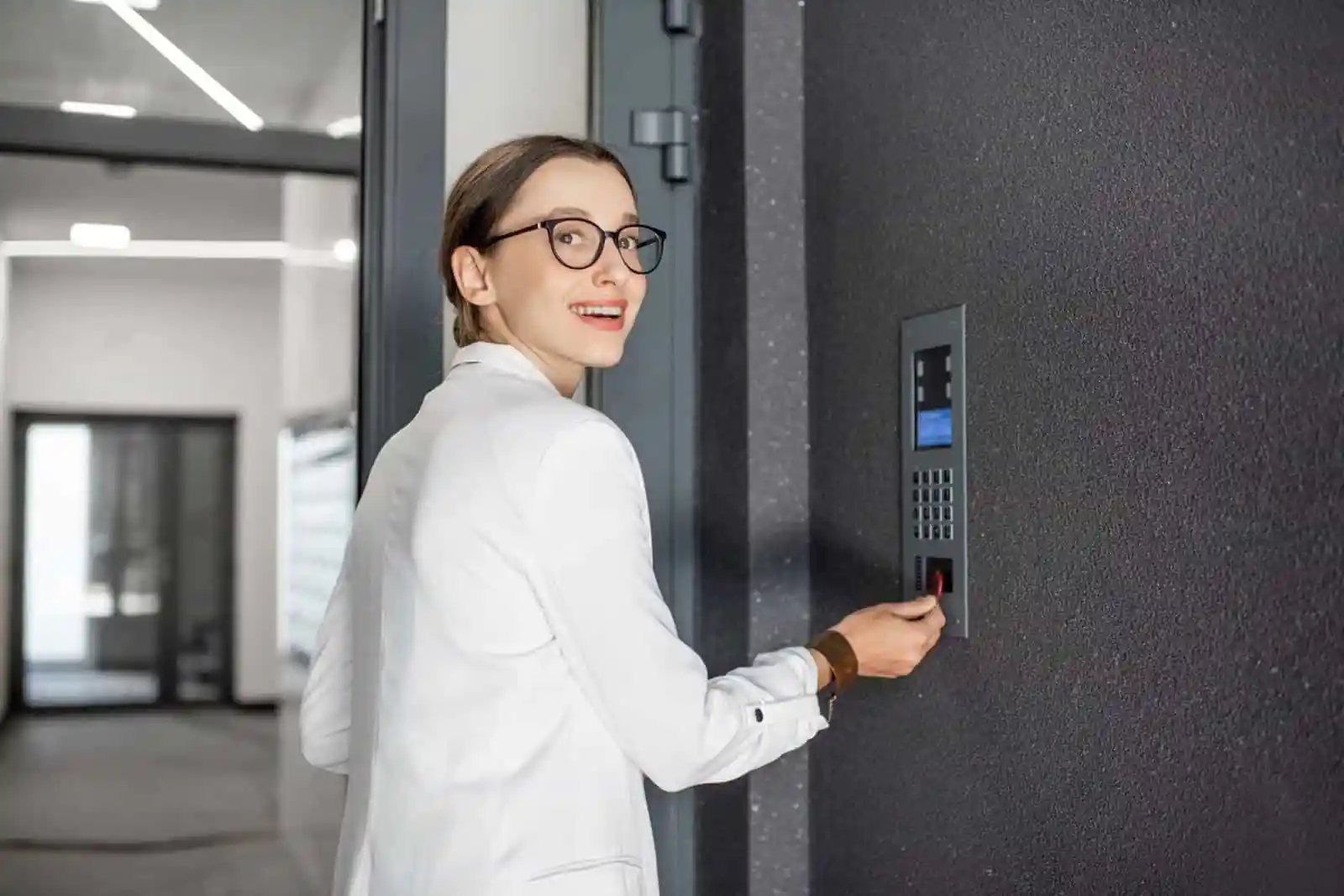
8 Phases to Deploy Virtual Doorman for Offices Successfully
Table of Contents
ToggleA corporate facility manager approved the virtual doorman for offices three months ago. The project stalled immediately. Nobody knew where to start.
Questions about the virtual doorman for offices piled up on her desk. What equipment does the building need? Which vendor handles office implementations? How long will the installation of a virtual doorman for offices take? What happens to the existing access control system? Will the CCTV surveillance cameras be integrated, or will they need replacement?
Meanwhile, security gaps continued. Unauthorized visitors reached the tenant floors. Packages disappeared from the lobby. The front desk sat empty during lunch breaks and after 5 PM. Three months of approved virtual doorman for offices budget produced zero progress.
After finding structured implementation guidance, she completed the virtual doorman for offices rollout in six weeks. Every entry point now has professional monitoring. The existing access control and video surveillance systems were integrated without replacement. Staff trained confidently. Tenants adjusted quickly.
This guide provides the 8-phase implementation roadmap for a virtual doorman for offices that facility managers need. Each phase includes specific steps, realistic timelines, and checklists so offices can move from decision to operational virtual doorman for offices without delays or missteps.
Why Structured Implementation Makes Virtual Doormen for Offices Succeed
Poor virtual doorman for offices implementation wastes budget and creates lasting frustration. Integration failures with existing access control and CCTV surveillance systems cause ongoing technical problems. Staff resistance increases when communication fails. Unplanned disruptions damage stakeholder confidence in future security investments.
The cost of a poor virtual doorman for office implementation extends beyond immediate inconvenience. Extended timelines turn six-week projects into six-month headaches. Budget overruns stem from unexpected infrastructure requirements that no one assessed. Features go underutilized because the training was rushed. Integration issues require expensive fixes months after go-live.
According to Real Estate Business Review’s analysis of virtual doorman implementations, successful virtual doorman for offices deployments follow structured processes that anticipate common obstacles. Understanding how the virtual doorman works step-by-step before beginning implementation helps facility managers plan effectively.
A successful virtual doorman for offices implementation delivers operational systems within 4-8 weeks. Existing commercial surveillance and access control systems integrate without replacement. Staff trains confidently on new systems. Tenants experience minimal disruption during transition.
Phase 1 — Site Assessment and Requirements Gathering
Timeline: Week 1-2
Every successful virtual doorman for office implementation begins with a thorough assessment. Skipping this phase causes problems that surface during installation—when fixing them costs significantly more.
Conducting the Office Security Audit
Map all entry points requiring a virtual doorman for office coverage. Most offices have primary lobbies, secondary entrances, parking garage access points, and loading dock areas. Document which entry points need monitoring and during what hours.
Review the current security surveillance infrastructure for the virtual doorman for office compatibility. Identify existing CCTV surveillance camera locations and assess their capabilities. Many offices can leverage current cameras rather than installing new equipment. Document camera models, resolution capabilities, and connection types.
Examine current access control systems and protocols. Understanding how virtual doorman improves building security helps identify which security functions current systems handle and which gaps virtual doormen for offices will address.
Assess visitor traffic patterns and peak hours. This information determines the virtual doorman for offices, monitoring schedule requirements, and helps providers staff appropriately for your building’s specific needs.
Infrastructure Readiness Evaluation
Internet connectivity assessment identifies potential bottlenecks before they become problems. Virtual doorman for offices requires a minimum of 10-25 Mbps upload speed per video intercom station. Buildings with multiple entry points need proportionally higher bandwidth.
Evaluate the existing intercom system compatibility with the virtual doorman for offices’ requirements. Some buildings can retrofit current intercoms with virtual doorman integration. Others require new hardware. Document current equipment makes and models for provider compatibility verification.
Verify power availability at entry points for the virtual doorman for office hardware. Video intercoms require consistent power—either direct electrical connections or Power over Ethernet (PoE) capability. Assess cable routing possibilities for new installations.
Requirements Documentation
Document the number of entry points needing a virtual doorman for office coverage and prioritize them. Primary lobbies typically receive first implementation, with secondary access points following.
Define the hours of monitoring required for the virtual doorman for offices. Some offices need business hours coverage (8 AM – 6 PM). Others require 24/7 monitoring for after-hours tenant access. Extended coverage affects pricing and implementation planning.
Identify integration requirements with existing systems. Will the virtual doorman for offices connect to current commercial surveillance infrastructure? Does access control need integration for remote door release? Document specific requirements before vendor discussions.
Phase 1 Deliverable: Site assessment report documenting current state, virtual doorman for offices requirements, and readiness gaps.
Phase 2 — Preparing Technical Infrastructure
Timeline: Week 2-3
Infrastructure preparation prevents virtual doormen for office installation delays. Addressing technical requirements before vendor installation teams arrive keeps projects on schedule.
Internet and Network Requirements
Bandwidth requirements depend on the virtual doorman for offices implementation scope. Plan for a minimum 10 Mbps upload per video intercom—more for high-resolution systems. Buildings with four entry points should have 40+ Mbps upload available for the virtual doorman for office traffic alone.
Wired connections provide superior reliability for a virtual doorman for offices compared to WiFi. Video intercoms transmitting continuous feeds cannot tolerate WiFi interruptions. Run Ethernet cabling to entry points during this phase if not already present.
Network security considerations matter for commercial virtual doormen for office implementations. According to Avigilon’s access control guidelines, dedicated VLANs for surveillance services isolate security traffic from general office networks. Consult IT teams about network segmentation before installation.
Consider backup internet for critical virtual doormen for office implementations. If the primary internet fails, the virtual doorman goes offline. Buildings requiring uninterrupted coverage should evaluate failover options.
Hardware Specifications Checklist
Video intercom requirements for a virtual doorman for offices vary by installation environment. Minimum 1080p resolution provides adequate image quality for visitor identification. Larger lobbies benefit from 4K resolution for clearer images across greater distances.
Wide-angle lenses (120° or greater) capture visitors regardless of where they stand. Night vision capability ensures a virtual doorman for offices functionality during low-light conditions—particularly important for exterior installations and parking areas.
Weather resistance ratings matter for exterior virtual doormen for office installations. IP65 or higher ratings protect equipment from rain, dust, and temperature extremes. Interior installations in climate-controlled lobbies have fewer environmental requirements.
Supporting infrastructure for a virtual doorman for offices includes PoE switches, Cat6 cabling minimum, appropriate mounting hardware, and backup power consideration through UPS systems for critical entry points.
Access Control Integration Preparation
Document current access control system specifications for the virtual doorman for offices integration. Make and model information helps providers verify compatibility before contracts are finalized. Test existing door hardware for electronic release capability—some older systems require hardware upgrades.
Verify API availability or integration protocols with current access control vendors for the virtual doorman for office connectivity. Modern systems typically offer integration options. Legacy systems may require middleware or hardware upgrades. Identifying requirements now prevents surprises during Phase 4.
24/7 live CCTV monitoring services often integrate with access control platforms. Understanding integration architecture helps plan a comprehensive virtual doorman for office security surveillance coverage.
CCTV Surveillance System Compatibility
Identify the existing video surveillance system type and verify feed sharing capabilities for the virtual doorman for offices. Virtual doorman operators may need access to additional camera views beyond entry point intercoms. Confirm whether current systems support external feed access.
Plan camera placement adjustments if needed for the virtual doorman for office effectiveness. Entry point cameras should capture vvisitors’faces clearly. Existing cameras positioned for general surveillance may require repositioning or supplementation.
Phase 2 Deliverable: Infrastructure readiness checklist with all virtual doormen for office items verified or scheduled for upgrade.
Phase 3 — Selecting the Right Virtual Doorman Provider for Offices
Timeline: Week 3-4
Provider selection determines the virtual doorman for the implementation success. Offices need providers experienced with commercial environments—not just residential buildings.
Evaluation Criteria for Virtual Doorman for Offices Implementations
Response time guarantees matter significantly for a virtual doorman for offices. Professional providers should guarantee a sub-20-second response to visitor calls. According to Swiftlane’s provider guide, response time directly impacts visitor experience and security effectiveness.
Evaluate experience with commercial surveillance integration for a virtual doorman for offices. Office implementations involve more complex infrastructure than residential buildings. Providers should demonstrate successful integrations with common access control platforms and CCTV surveillance systems.
Multi-location management capability matters for organizations implementing a virtual doorman for offices across multiple buildings. Centralized administration simplifies ongoing management.
Reporting and analytics features help facility managers monitor the performance of the virtual doorman for offices and identify optimization opportunities. Look for providers offering detailed activity logs and trend analysis.
Questions to Ask Virtual Doorman Providers
Technical Questions: What access control systems do you integrate with for a virtual doorman for offices? How do you connect with existing CCTV surveillance? What are your specific internet bandwidth requirements? What hardware do you require, recommend, or support?
Operational Questions: What is your documented average response time for the virtual doorman for offices? How are operators trained for office environments specifically? What languages do your operators speak? What happens during system outages—do you have backup procedures?
Implementation Questions: What does your virtual doorman for offices implementation process include? Who handles hardware installation—your team or third parties? What training do you provide for our staff? What ongoing support is available after go-live?
Contract Considerations
Service level agreements should include specific, measurable metrics for the virtual doorman for office performance. Response time commitments, uptime guarantees, and resolution timeframes provide accountability. Vague promises without metrics offer no protection.
Implementation timeline commitments should specify the virtual doorman for offices phases and deliverables. Contracts stating “implementation within 30 days” mean little without phase-by-phase milestones.
Hardware ownership versus lease terms affect long-term virtual doorman for offices costs and flexibility. Understand what happens to equipment if you change providers.
Pricing structure clarity prevents virtual doormen from office budget surprises. Some providers charge per door, others per building, and others per month, regardless of scope. Understand exactly what you’re paying for.
Reviewing the best remote doorman services helps compare virtual doorman for offices provider options and identify evaluation criteria specific to your requirements.
Phase 3 Deliverable: Signed contract with clear virtual doorman for offices implementation timeline and documented responsibilities.
Phase 4 — Integrating Virtual Doorman with Security Infrastructure
Timeline: Week 4-5
Integration connects the virtual doorman for offices with existing systems. This phase determines whether implementation enhances current infrastructure or creates isolated silos.
Access Control System Integration
Connect the virtual doorman for offices platform to the existing access control infrastructure. This integration enables remote door release—operators verify visitors visually, then unlock doors electronically without physical intervention.
Configure remote door release protocols carefully for the virtual doorman for office security. Security surveillance depends on proper authorization workflows. Define who can authorize visitor entry, under what circumstances, and with what documentation.
Test the virtual doorman for offices integration in controlled environments before full deployment. Simulated visitor scenarios verify that access control responds correctly to virtual doorman commands.
Document virtual doorman for offices integration architecture for future reference and troubleshooting. IT teams and future administrators need clear documentation of how systems connect.
Common access control integrations for virtual doormen for offices include proximity card systems (HID, AWID), keypad entry systems, mobile credential platforms, and biometric systems, where applicable.
CCTV Surveillance Integration
Connect existing video surveillance feeds to the virtual doorman for offices platform, where beneficial. Operators monitoring entry points may need views from adjacent cameras for context.
Configure camera views for the virtual doorman for office operator access based on security requirements. Not all cameras need virtual doorman access—define scope based on operational needs.
Set up recording triggers for the virtual doorman for office visitor interactions. Automatic recording when the intercom activates creates documentation for security purposes. Integration with existing recording infrastructure prevents duplicate systems.
Test video quality and latency for the virtual doorman for office operations. Delays between camera capture and operator viewing compromise real-time response capability.
Commercial Surveillance System Coordination
Align virtual doorman for offices alerts with existing security surveillance protocols. If your office has security staff or monitoring services, define how virtual doorman notifications integrate with current workflows.
Configure notification routing appropriately for the virtual doorman for offices. Entry alerts might go to security teams during business hours and escalate differently after hours. Workplace incident reporting integration helps document security events systematically.
For industrial office settings within warehouses or factories, coordinate a virtual doorman for offices with industrial surveillance components. Entry points may have different security requirements than standalone office buildings.
Virtual Receptionist Function Setup
Configure visitor management workflows specific to your virtual doorman for offices environment. Professional services offices (law firms, accounting firms) may require different protocols than tech company campuses.
Set up a directory for tenant or employee lookups within the virtual doorman for offices. Operators need quick access to contact information for verification calls. Maintain directory accuracy through regular updates.
Establish authorization protocols defining who can approve visitor entry through the virtual doorman for offices. Some offices allow any employee to authorize guests. Others restrict authorization to specific roles.
Create custom greetings and scripts appropriate for your virtual doorman for offices environment. Professional offices may want formal greetings; creative agencies might prefer casual approaches.
Phase 4 Deliverable: Fully integrated virtual doorman for offices system connecting with existing access control, CCTV surveillance, and security infrastructure.
Phase 5 — Hardware Installation and Configuration
Timeline: Week 5-6
Physical installation brings a virtual doorman for offices from planning to reality. Proper execution minimizes disruption while ensuring quality results.
Physical Installation Process for Office
Video intercom mounting for a virtual doorman for offices requires appropriate hardware for each entry point type. Glass doors, concrete walls, and exterior installations each present different mounting requirements.
Cabling installation connects power and network to the virtual doorman for office intercom locations. Concealed cabling looks professional and prevents tampering. Plan cable routes during infrastructure preparation to expedite installation.
Connection to access control door hardware enables va irtual doorman for office remote unlocking. Verify door strike or magnetic lock compatibility before installation day.
Camera angle adjustment ensures optimal virtual doorman for office coverage. Operators need clear facial views of visitors. Adjust angles after initial mounting to optimize image quality.
Audio testing verifies clear two-way communication for the virtual doorman for offices. Background noise, echo, and volume levels all affect communication quality. Test thoroughly before finalizing installation.
Minimizing Operational Disruption During Installation
Schedule primary virtual doorman for office installations outside peak hours when possible. Early morning or evening installations avoid disrupting busy lobby traffic.
Complete one virtual doorman for offices entry point at a time rather than multiple simultaneous installations. This approach maintains building access throughout implementation.
Maintain manual access procedures during the virtual doorman for office installation. Visitors should never be stranded because the installation disabled normal entry.
Coordinate with building management for access to electrical panels, network rooms, and secured areas, and a virtual doorman for offices and installation teams.
Communicate the virtual doorman for offices installation timeline to affected tenants. Daily updates during installation week prevent surprise and frustration.
System Configuration for Offices
Platform account setup for virtual doorman for offices includes user provisioning for administrators, operators, and tenant access, where applicable.
Custom greeting and script configuration ensure virtual doormen for office operators communicate appropriately for your office environment. Test scripts with sample scenarios before go-live.
A directory population with tenant and employee information enables a virtual doorman for office visitor verification. Accurate, current information is critical—plan for ongoing maintenance.
Notification preferences configuration routes the virtual doorman for offices and alerts appropriately. Different stakeholders may need different notification types.
Emergency protocol programming ensures that the staff for office operators know procedures for fire, medical, and security emergencies. Test emergency scenarios during configuration.
Quality Verification Testing
Test every installed virtual doorman for offices component systematically before declaring installation complete.
Video quality verification confirms virtual doorman for offices resolution, lighting performance, and camera angles meet requirements. Check during various lighting conditions—day, night, and artificial lighting.
Audio clarity testing in both directions ensures a virtual doorman for office visitors and operators communicate clearly. Test with background noise present to simulate real conditions.
Door release function testing verifies that the virtual doorman for office access control integration works correctly. Test multiple scenarios i, including authorized entry, denied entry, and timeout conditions.
Integration testing confirms that all virtual doormen for offices connected systems communicate properly. Access control, CCTV surveillance, and notification systems should all function together.
Phase 5 Deliverable: Fully installed and configured virtual doorman for the offices system, ready for training.
Phase 6 — Training Staff and Communicating to Tenants
Timeline: Week 6-7
Technology succeeds only when people use it effectively. Training and communication determine whether the virtual doorman for offices becomes valued infrastructure or a frustrated obstacle.
Staff Training Requirements for Virtual Doorman for Offices
Identify everyone needing virtual doorman for offices training. Reception and front desk staff need transition support—their roles may change with a virtual doorman handling visitor screening. Security personnel need escalation procedure training. Facility managers need administrative dashboard training. IT staff need technical troubleshooting capability.
Training topics for a virtual doorman for offices should cover system operation basics, escalation procedures for unusual situations, troubleshooting common issues, administrative dashboard usage, and reporting access.
According to BOS Security’s implementation guidance, adequate staff training significantly impacts the virtual doorman for offices adoption success. Rushed training creates ongoing support burdens.
Understandingcomplete virtual doorman responsibilities helps staff understand what virtual doormen for office operators handle and what remains their responsibility.
Tenant and Employee Communication
The communication timeline for the virtual doorman for offices should begin well before go-live. Two weeks before launch, announce the upcoming change and explain the benefits. One week before, distribute detailed instructions and FAQ documents. Go-live day, send a reminder with the quick-start guide. One week after, follow up addressing questions and concerns.
Communication content should explain what a virtual doorman for offices means for the daily experience. How do employees grant visitor access? Is there a mobile app to install? Who handles questions or issues? What’s the transition timeline?
Anticipate common questions about the virtual doorman for offices and address them proactively. Resistance decreases when people understand changes before experiencing them.
Visitor Communication
Update signage at entry points before the virtual doorman for offices goes live. Clear instructions on intercom use prevent visitor confusion.
Set expectations for the virtual doorman for offices verification process. Visitors should understand they’ll speak with a professional operator who will verify their visit before granting access.
Provide contact information for a virtual doorman for offices assistance. When visitors encounter issues, they should know how to reach someone who can help.
Phase 6 Deliverable: Trained staff, informed tenants, and updated visitor signage for the virtual doorman for offices.
Phase 7 — Launch Procedures and Testing
Timeline: Week 7
Go-live represents the culmination of the virtual doorman for offices implementation effort. Structured launch procedures ensure a smooth transition from project to operations.
Soft Launch Approach for Offices
Begin virtual doorman for offices with a limited scope—perhaps a single entry point or limited hours—rather than full deployment. Soft launch enables issue identification before scaling.
Monitor the virtual doorman for offices closely during the initial period. Staff should actively watch for problems rather than assuming everything works.
Gather feedback from staff and early virtual doormen for office users. Frontline observations identify issues management might miss.
Address the virtual doorman for office problems before full deployment. Fixing issues during soft launch prevents a wider impact.
Document virtual doorman for office issues and resolutions. This documentation helps troubleshoot similar problems later and improves future implementations.
Full Office Virtual Doorman Deployment
Verify the virtual doorman for offices’ readiness before expanding beyond soft launch. All entry points should be operational with all integrations functioning correctly.
Checklist:
- All entry points are operational
- All integrations are functioning (access control, CCTV surveillance)
- Staff are trained and confident
- Tenant communication complete
- Signage updated
- Emergency procedures documented
- Support contacts established
Performance Verification for Virtual Doorman for Office
Monitor key virtual doorman for offices metrics from day one. Response time should stay under 20 seconds. Track successful visitor verifications, door release success rates, and integration reliability.
User satisfaction feedback provides qualitative data complementing the virtual doorman for offices metrics. Survey staff and tenants after the first week.
ButterflyMX’s virtual doorman reviews highlight common performance factors users value. Use similar criteria for your own virtual doorman for offices evaluation.
Issue Resolution Protocol for Offices
Establish clear escalation paths for the virtual doorman for offices before issues arise. Who handles technical problems? Who addresses service concerns? Who has the provider’s contact information?
Document virtual doorman for office issues systematically as they occur. Patterns help identify root causes rather than repeatedly treating symptoms.
Track virtual doorman for office resolution times to ensure provider meets SLA commitments.
Phase 7 Deliverable: Operational virtual doorman for offices with verified performance.
Phase 8 — Offices Optimization and Ongoing Management
Timeline: Week 8 and Ongoing
Implementation completion begins virtual doorman for offices optimization. Initial configuration rarely proves optimal. Ongoing management ensurethe s virtual doorman for offices continues delivering value.
Performance Monitoring for Offices
Track virtual doorman for offices metrics continuously, not just during launch. Average response time trends reveal service quality over time. Peak hour performance may differ from overall averages.
Integration reliability affects the virtual doorman for offices’ user experience significantly. Access control or CCTV surveillance integration failures frustrate users even when the virtual doorman itself functions correctly.
Monitor the virtual doorman for offices’ user adoption rates. Low adoption suggests training gaps or user resistance requiring attention.
Track the virtual doorman for offices’ issue frequency and types. Recurring issues indicate systemic problems needing resolution.
System Optimization for Offices
Adjust virtual doorman for offices scripts based on common visitor scenarios. Initial scripts may not anticipate all situations operators encounter.
Refine the virtual doorman for offices notification preferences based on feedback. Some stakeholders may want fewer alerts; others may need additional notifications.
Optimize virtual doorman for offices’ camera angles if initial positioning proves suboptimal. Seasonal lighting changes may require adjustments.
Update the virtual doorman for the offices’ directory information regularly. Outdated contact information causes verification failures.
Review and improve the virtual doorman for offices escalation procedures based on real incident experience.
Regular Review Schedule
Weekly reviews should check the virtual doorman for office performance metrics and address immediate issues.
Monthly reviews should examine the virtual doorman for offices user feedback and identify optimization opportunities.
Quarterly assessments should comprehensively evaluate the virtual doorman for offices system performance, user satisfaction, and alignment with security goals.
Annual reviews should assess the virtual doorman for offices contract terms, service levels, and potential upgrades or expansions.
Scaling Considerations
Plan for a virtual doorman for office growth from the beginning. Adding additional entry points should follow established processes. Expanding to additional buildings benefits from documented implementation experience.
Increasing virtual doorman for offices coverage hours from business hours to 24/7 requires provider coordination and potential pricing adjustments.
Adding a virtual doorman for offices features or integrations follows similar implementation phases on a smaller scale.
Phase 8 Deliverable: Optimized virtual doorman for offices system with ongoing management processes.
7 Virtual Doorman Implementation Mistakes to Avoid for the Office
Understanding common virtual doorman for offices mistakes helps offices avoid them. Honest acknowledgment of what goes wrong builds appropriate caution.
Mistake #1: Skipping Infrastructure Assessment Discovering bandwidth limitations during virtual doorman for offices installation causes delays and additional costs. Complete Phase 1 assessment thoroughly before vendor selection.
Mistake #2: Ignoring Integration Requirements Assuming all access control systems integrate easily with the virtual doorman for offices leads to disappointment. Verify specific integration compatibility with providers before signing contracts.
Mistake #3: Underestimating Training Needs Staff frustration from inadequate virtual doorman for offices training leads to system underutilization and complaints. Budget adequate time for comprehensive training—rushing saves nothing.
Mistake #4: Poor Tenant Communication Confusion and complaints at the virtual doorman for offices go-live damage stakeholder confidence. Follow structured communication timelines rather than last-minute announcements.
Mistake #5: Rushing Implementation Timeline Cutting corners on the virtual doorman for offices to meet arbitrary deadlines creates ongoing problems that outlast any time savings. Allow 6-8 weeks for proper implementation.
Mistake #6: Neglecting Post-Implementation Optimization Initial virtual doorman for office configuration rarely proves optimal. Schedule regular performance reviews rather than assuming the go-live configuration is permanent.
Mistake #7: Single Point of Failure Planning. When virtual doormen for offices issues occur—and they will—manual backup procedures enable continued operation. Document manual procedures and escalation paths before depending on automated systems exclusively.
Starting Your Virtual Doorman Implementation for Office
Implementing a virtual doorman for offices follows predictable phases when approached systematically. Assessment, infrastructure preparation, vendor selection, integration, installation, training, launch, and optimization—each phase builds on previous work toward operational success.
The 8-phase approach prevents common mistakes in the virtual doorman for offices while ensuring thorough preparation. Offices completing all phases systematically achieve operational virtual doormen for offices within 6-8 weeks. Existing access control and CCTV surveillance systems integrate without replacement. Staff trains confidently. Tenants adjust quickly.
GCCTVMS provides complete implementation support for a virtual doorman for offices. Our experienced team has proven commercial surveillance integration expertise with major access control and video surveillance systems. We offer a dedicated virtual doorman for the implementation project management, guiding offices through all 8 phases.
Explore our complete virtual doorman services or review our service offerings for comprehensive security solutions. Contact our team to assess your virtual doorman for offices implementation requirements and receive customized guidance for your specific environment.
Virtual doorman for offices implementation doesn’t require technical expertise when you have structured guidance and experienced support. Follow these 8 phases systematically, and your office will have an operational virtual doorman for offices with integrated access control, surveillance services, and trained staff ready to support the transition.
FAQ’s
How long does the virtual doorman for offices implementation take?
6-8 weeks following structured phases: assessment (Week 1-2), infrastructure prep (Week 2-3), vendor selection (Week 3-4), integration (Week 4-5), installation (Week 5-6), training (Week 6-7), and go-live (Week 7-8).
What internet speed does the virtual doorman require?
Minimum 10-25 Mbps upload per video intercom. Buildings with four entry points need 40+ Mbps upload dedicated to virtual doorman traffic. Wired Ethernet connections are preferred over WiFi.
Can a virtual doorman integrate with existing access control systems?
Yes. Virtual doorman integrates with most modern access control systems, including HID, AWID, keypad systems, and mobile credentials. Verify specific compatibility with providers before contracting.
Does virtual doorman work with existing CCTV surveillance?
Yes. Most implementations leverage existing CCTV surveillance infrastructure. Providers connect to current video surveillance feeds rather than requiring complete replacement.
How much does a virtual doorman for offices cost?
Hardware: $500-$2,000 per entry point. Monthly service: $50-$200 per entry point. Typical office (2-4 entry points) costs $5,000-$20,000 first year—significantly less than traditional reception staffing.
